Главная страница  /  Занятия  /  #6  /  Подключить стилевую разметку к html-документу при помощи JavaScript

Подключить стилевую разметку к html-документу при помощи JavaScript

Задание:

Есть html-документ:
 <!DOCTYPE html>
 
 <html lang="ru">
 
  <head>
   <meta charset="utf-8">
   <meta name="viewport" content="width=device-width, initial-scale=1.0">
   <title>Генерация стилевой разметки при помощи JavaScript</title>
   <script src="scripts.js"></script>
  </head>
 
  <body>
   <div>
    <div></div>
   </div>
   <div>
    <div></div>
   </div>
  </body>
 
 </html>

и два блока стилевой разметки:
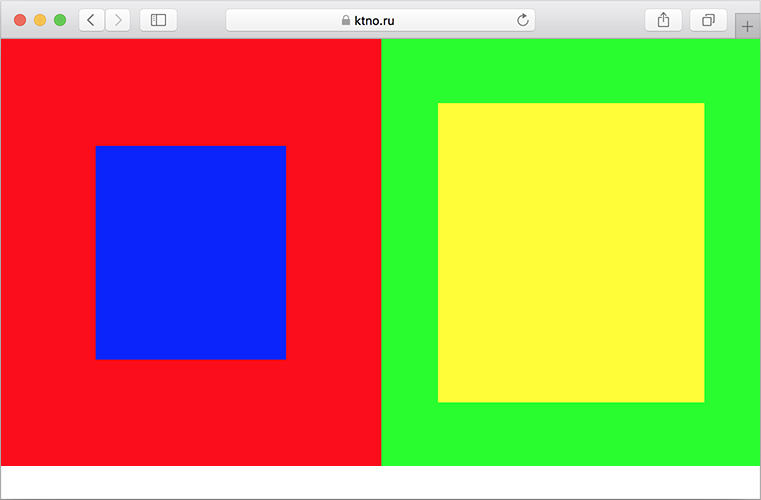
 .firstParentDiv		{ position: relative; float: left; width: 50%; height: 400px; background-color: #ff0000; }
 .firstParentDivChild		{ position: absolute; left: 25%; top: 25%; width: 50%; height: 50%; background-color: #0000ff; }
 .secondParentDiv               { position: relative; float: left; width: 50%; height: 400px; background-color: #00ff00; }
 .secondParentDivChild          { position: absolute; left: 15%; top: 15%; width: 70%; height: 70%; background-color: #ffff00; }

Необходимо подключить данную стилевую разметку к вышеприведенному html-документу при помощи JavaScript. При этом первый ее блок должен быть подключен в виде внедренной стилевой разметки, а второй – в виде внешней (файл styles.css). После этого первому элементу DIV нужно назначить класс firstParentDiv, его дочернему элементу – firstParentDivChild, второму элементу DIV – secondParentDiv, а его дочернему – secondParentDivChild.

В результате выполнения задания должен получиться следующий результат:
Посмотреть решение

CSS–разметка (styles.css):

   .secondParentDiv               { position: relative; float: left; width: 50%; height: 400px; background-color: #00ff00; }
   .secondParentDivChild          { position: absolute; left: 15%; top: 15%; width: 70%; height: 70%; background-color: #ffff00; }

JS–скрипты (scripts.js):

   window.onload = function()
   {
    var style = document.createElement('style');
    style.innerHTML = '.firstParentDiv		{ position: relative; float: left; width: 50%; height: 400px; background-color: #ff0000; }\n\
                       .firstParentDivChild	{ position: absolute; left: 25%; top: 25%; width: 50%; height: 50%; background-color: #0000ff; }';
    document.getElementsByTagName('head')[0].appendChild(style);
    document.getElementsByTagName('body')[0].children[0].className = 'firstParentDiv';
    document.getElementsByTagName('body')[0].children[0].children[0].className = 'firstParentDivChild';
   
    var headElement  = document.getElementsByTagName('head')[0];
    var linkElement  = document.createElement('link');
    linkElement.rel  = 'stylesheet';
    linkElement.href = 'styles.css';
    headElement.appendChild(linkElement);
    document.getElementsByTagName('body')[0].children[1].className = 'secondParentDiv';
    document.getElementsByTagName('body')[0].children[1].children[0].className = 'secondParentDivChild';
   };

Результат:

Результат выполнения задания можно посмотреть здесь.